I'm going to start this post by apologizing to all of the great DPs who work with us. I am NOT trying to put you out of business. In fact, at the end of the post, I will tell how YOU can get in on the stock footage market and make some extra money on those handful of days per year you're not out shooting for us.
OK. On to the subject at hand. Why should you consider using stock footage and photography in your videos? There are a lot of answers to this question, but my favorite is, "Because it allows you to greatly expand your creative vision without greatly expanding your budget!"
How can this be?! The answer is simple. There are more stock footage and photography resources, more stock footage and photography producers, and more stock footage shots than there have ever been before. And that number is growing by leaps and bounds every minute of every day thanks to the explosion of great online stock footage services available.
To use these services takes a little understanding of how they work. First off, there are sites that prefer to work on a licensing basis, where footage is licensed for a specific project at a specific price. These sites often have the most visually stunning and spectacular shots, but, this quality comes at a price. Getty Images is an example of a site that uses this pricing and licensing model.
The other, more cost effective model is the buy-out or subscription model. iStockphoto, Pond 5 and Revostock are sites that work on these models. The libraries are typically a little more limited on these sites, however the value you get for the dollar paid, plus the more user-friendly licensing models more than make up for any deficiencies. Many of these sites also offer music, graphics, flash, animations and sound fx using the same models.
I'll give you an example of how stock footage can be used to creatively deliver greater impact. In one of our current projects, a client is having us produce a video about managing change for a leadership conference. The initial concept was to have some of the key players do interviews where they frankly discuss the changes they've faced and how they've managed change. We felt this was a great way to get people to connect with each other around a very sensitive topic, yet, being visual communicators, we wanted a means of conveying change visually. It was at this point that we realized that there is a whole world of great footage out there that conveys change (time lapse, natural shots, etc.) and that this footage could be used to open and close the video and be used as background for graphics that would illustrate key messages. Voila--the addition of stock footage takes a good video and makes it great!
So, the next time you've got a creative concept that begs for stylized footage that it would be too time consuming or costly to shoot yourself, consider adding some stock footage or photography. You'll be glad you did.
OK-DPs, this is just for you. You can make the best of the stock footage phenomenon by becoming a contributor. I recommend starting with iStockphoto, Pond5, and Revostock and expanding out from there.
Tuesday, July 27, 2010
Monday, May 3, 2010
The More Things Change...
As we enter our 20th year of business I took a few minutes this month to think about the dramatic changes that have transformed our business in the last two decades. As I was doing that, I realized that the obvious, dramatic, and transformative change is interesting to consider, but the constants (which are less obvious) are equally and often more compelling to consider. It is these constants that I will focus on in this post.
When I started thinking about the things that have changed very little in the last twenty years, the first thing that struck me is that good people always find work (or is it, work always finds good people?!) What I mean by that is that even though an explosion in cheap, relatively high quality video gear has brought a huge influx of people into the business, I see the same talented people, year after year, working on project after project. That's not to say that there isn't great new talent out there--there is--it's just that establishing yourself as a talented professional in this business is still a huge and difficult task, requiring dedication, long hours, and a LOT of humility and most people don't have what it takes to make it for the long haul.
The other constant I've noticed is that the basic skill set that is required to produce high quality videos has changed very little in the last 20 years. Sure, some jobs dealing with specific aspects of the technology have changed, but the basic skills like producing, directing, writing, lighting, shooting, acting, and sound acquisition have changed very little. I have to laugh every time I hear about how some new technology (camera, edit software, etc.) is going to revolutionize film and video work and get budgets down so low that anyone can now make Hollywood Movies.
The truth of the matter is simple--great films and videos are made by talented people. Cameras and software are just tools and great tools in untalented hands still produce poor results. As for budgets getting lower, it is true that the tools are somewhat less expensive, but the single greatest cost for most projects is not the tools, it's the people who operate them. I mean, the tools for building construction have also come down dramatically in price, yet it is still more expensive to construct a building today than it was 20 years ago--the same is true in this business.
So what is the takeaway from this? If you want to make a great video, hire great people and let them bring the right tools for your job.
When I started thinking about the things that have changed very little in the last twenty years, the first thing that struck me is that good people always find work (or is it, work always finds good people?!) What I mean by that is that even though an explosion in cheap, relatively high quality video gear has brought a huge influx of people into the business, I see the same talented people, year after year, working on project after project. That's not to say that there isn't great new talent out there--there is--it's just that establishing yourself as a talented professional in this business is still a huge and difficult task, requiring dedication, long hours, and a LOT of humility and most people don't have what it takes to make it for the long haul.
The other constant I've noticed is that the basic skill set that is required to produce high quality videos has changed very little in the last 20 years. Sure, some jobs dealing with specific aspects of the technology have changed, but the basic skills like producing, directing, writing, lighting, shooting, acting, and sound acquisition have changed very little. I have to laugh every time I hear about how some new technology (camera, edit software, etc.) is going to revolutionize film and video work and get budgets down so low that anyone can now make Hollywood Movies.
The truth of the matter is simple--great films and videos are made by talented people. Cameras and software are just tools and great tools in untalented hands still produce poor results. As for budgets getting lower, it is true that the tools are somewhat less expensive, but the single greatest cost for most projects is not the tools, it's the people who operate them. I mean, the tools for building construction have also come down dramatically in price, yet it is still more expensive to construct a building today than it was 20 years ago--the same is true in this business.
So what is the takeaway from this? If you want to make a great video, hire great people and let them bring the right tools for your job.
Monday, November 2, 2009
Going Tapeless to Save Time and Money
After 18 years of being in this business, I am hardly the one to breathlessly promote every new video technology that comes down the road. In fact, if you ask my friends, they'll tell you that I'm more than a little cynical about the "next big thing that's going to revolutionize the production process!" I've simply seen too many of these come and go to get overly excited at any single product release.
Occasionally, however, a technology comes along that truly IS revolutionary (or at least evolutionary,) and then, after all the hype had died down, I'll usually be the last one to tout the merits of the technology. Today's post is a prime example of my policy of being last to the table. (For those of you hoping to hear me tout Avid's Camcutter technology or JVC's D9 format, you'll just have to keep waiting... ) This post will focus on tapeless production technologies and a specific application where we saved time and money for a client.
What Are Tapeless Production Technolgies?
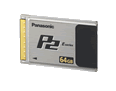
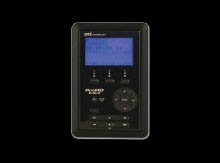
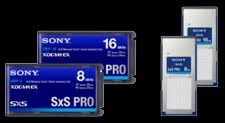
I'm glad you asked. When I talk about tapeless, I really mean "media-less"--that is, recording systems where video is being recorded on re-usable media as files, and where the recorded files can be directly transferred to a computer and hard drive without the use of additional hardware (like VTRs, media readers, etc.) Some of the most common professional examples are Panasonic's P2 card technology and Sony's SxS technology (which are solid state "flash" memory based) and portable hard drive recorders like the Focus Enhancements Firestore. There are also consumer level camcorders that record to flash memory, but for this post, I'll focus on the professional solutions.
How do tapeless production technolgies save time and money?
As with any new technology that drastically changes the way things are done, it takes some careful consideration (and mistake making) to figure out the best way to apply it. Now that we've been using these technologies for about three years, we've come up with some pretty good techniques for their application.
The most obvious cost savings is attained by virtue of the fact that you are not buying and using tape stock. For some projects, this can be a significant savings. Another way tapeless technologies can save time and money is that they allow some of the logging and marking of footage to be done during production. For example, each question and answer of an interview can be recorded into a separate file, so that when brought into the edit system, the interview is already partially logged. This saves tons of time (and money) in the capture, logging and editing process. Additional time and money can be saved at the end of the project during archiving since you will now be archiving digital assets instead of video tapes.
If you look at a specific example of an actual production, the savings and advantages become more obvious.
A Tapeless Work-Flow Case Study:
Recently, one of our clients brought us in to make a kick off video for an upcoming meeting. As we got into discussion of the project, it became clear that there would actually be four days of meetings and that they would want a video to kick off each day's theme plus two additional videos for one of the breakout sessions. An additional challenge also came up in that meeting: We would need to interview more than 50 team members over a period of 20 days in no fewer than 10 cities across North America. Then the final challenge was issued: At the end of shooting, we would have less than a week to edit and deliver all of the videos.
Our first thought was, "NO WAY, this can't be done!" Then, we sat down and started figuring out how it could be done and came up with a plan. (It is simply not in our nature to say no... ) Eventually, we decided that we could do the project if we had a way to shoot the footage, while simultaneously pre-logging it. We would also need a way of sorting and editing the footage at the end of each day, while we traveled. Five years ago, this would have been impossible, but today, using tapeless production technologies, we were able to do exactly that.
The first tool we knew we would need was a camera that could record to solid state media. We decided to shoot with our Panasonic HVX200 in beautiful HD right onto P2 cards. Separate files were created for each answer (whenever possible) and the footage was transferred into Final Cut Studio on a MacBook Pro on location, as we shot. At the end of the day, we would trim up the answers in FCS so that when we returned, the editor could literally get right to the business of editing. We also pre-composed all motion graphics and titles in Adobe After Effects CS4 so that these could be dropped into the edit at the end of production. In the end, we completed the videos right on time--to rave reviews from our client.
The result of our solid planning and this new technology was that we saved time and money at every stage of the production process AND we were able to take on a project and create stunning results in a way that would not have been possible only a few years ago.
While these technologies are not necessarily for every project you will encounter, I believe they will be an increasingly important part of the professional production toolbox moving forward.
Occasionally, however, a technology comes along that truly IS revolutionary (or at least evolutionary,) and then, after all the hype had died down, I'll usually be the last one to tout the merits of the technology. Today's post is a prime example of my policy of being last to the table. (For those of you hoping to hear me tout Avid's Camcutter technology or JVC's D9 format, you'll just have to keep waiting... ) This post will focus on tapeless production technologies and a specific application where we saved time and money for a client.
What Are Tapeless Production Technolgies?
I'm glad you asked. When I talk about tapeless, I really mean "media-less"--that is, recording systems where video is being recorded on re-usable media as files, and where the recorded files can be directly transferred to a computer and hard drive without the use of additional hardware (like VTRs, media readers, etc.) Some of the most common professional examples are Panasonic's P2 card technology and Sony's SxS technology (which are solid state "flash" memory based) and portable hard drive recorders like the Focus Enhancements Firestore. There are also consumer level camcorders that record to flash memory, but for this post, I'll focus on the professional solutions.


How do tapeless production technolgies save time and money?
As with any new technology that drastically changes the way things are done, it takes some careful consideration (and mistake making) to figure out the best way to apply it. Now that we've been using these technologies for about three years, we've come up with some pretty good techniques for their application.
The most obvious cost savings is attained by virtue of the fact that you are not buying and using tape stock. For some projects, this can be a significant savings. Another way tapeless technologies can save time and money is that they allow some of the logging and marking of footage to be done during production. For example, each question and answer of an interview can be recorded into a separate file, so that when brought into the edit system, the interview is already partially logged. This saves tons of time (and money) in the capture, logging and editing process. Additional time and money can be saved at the end of the project during archiving since you will now be archiving digital assets instead of video tapes.
If you look at a specific example of an actual production, the savings and advantages become more obvious.
A Tapeless Work-Flow Case Study:
Recently, one of our clients brought us in to make a kick off video for an upcoming meeting. As we got into discussion of the project, it became clear that there would actually be four days of meetings and that they would want a video to kick off each day's theme plus two additional videos for one of the breakout sessions. An additional challenge also came up in that meeting: We would need to interview more than 50 team members over a period of 20 days in no fewer than 10 cities across North America. Then the final challenge was issued: At the end of shooting, we would have less than a week to edit and deliver all of the videos.
Our first thought was, "NO WAY, this can't be done!" Then, we sat down and started figuring out how it could be done and came up with a plan. (It is simply not in our nature to say no... ) Eventually, we decided that we could do the project if we had a way to shoot the footage, while simultaneously pre-logging it. We would also need a way of sorting and editing the footage at the end of each day, while we traveled. Five years ago, this would have been impossible, but today, using tapeless production technologies, we were able to do exactly that.
The first tool we knew we would need was a camera that could record to solid state media. We decided to shoot with our Panasonic HVX200 in beautiful HD right onto P2 cards. Separate files were created for each answer (whenever possible) and the footage was transferred into Final Cut Studio on a MacBook Pro on location, as we shot. At the end of the day, we would trim up the answers in FCS so that when we returned, the editor could literally get right to the business of editing. We also pre-composed all motion graphics and titles in Adobe After Effects CS4 so that these could be dropped into the edit at the end of production. In the end, we completed the videos right on time--to rave reviews from our client.
The result of our solid planning and this new technology was that we saved time and money at every stage of the production process AND we were able to take on a project and create stunning results in a way that would not have been possible only a few years ago.
While these technologies are not necessarily for every project you will encounter, I believe they will be an increasingly important part of the professional production toolbox moving forward.
Thursday, May 7, 2009
5 Tips for Powerful Videos
In today's "everyone owns a camcorder" world, making a video or finding someone to do that for you is easier than it has ever been. Chances are good that at some point, you, or someone in your immediate family, has made a video and shared it around. But does that experience translate to being able to make videos for your organization, company, or group? The answer depends on what kind of video you need to make and what your other job responsibilities are. Certainly, having some experience shooting or editing video won't hurt and will give you a better understanding of the process.
Whether you decide to take a do-it-yourself approach or hire a professional, answering these five questions will help you get the most bang for your video buck.
1) Who is my audience? Be specific and thoroughly describe who you want to watch your video.
2) What message(s) do I want my audience to take away from the video. Again, be specific and list everything you want them to know and why.
3) What other media could be used to convey the same message(s)? The key to any successful communication is matching the message to the medium. If something would work better in print, or on the web, figure out how all the media can work together to convey the message(s) most powerfully.
4) What is the definition of success? Ultimately, this is the question your boss is going to ask you (or the most important question you should ask yourself, if YOU are the boss.) Think about the answers to the questions above, then ask, "If the video is successful, what will have happened?" The answer usually involves stating what your audience, or a key portion of it, will have done as a result of watching the video. For example, "10% of the audience of our viral video will have clicked through to our website, and 1% overall, will have purchased our product," or "roll out of our training video will result in a 10% reduction in calls to our customer support call center." Carefully defining success will guide your decisions throughout the production process, so this step is critical!
5) How much should we budget for the video? Now that you have defined your audience, message(s), communications plan, and success the final step is determining your budget. While many people answer this question with the obvious "as little as we possibly can!", the real answer should flow naturally from your success criteria. For example, if your current cost per customer acquired is "x", the maximum budget for your video should be "x" times the number of customers you think you can acquire using your video over a given period of time. Or, if your current cost per support call is "y", an appropriate maximum budget should be "y" times the number of calls you can reduce by employing a training video. While this is not an exact science, it should certainly give you a good starting point.
Once you have answered these five questions, you are now ready to get into the fun part: planning your video. You can learn about this process in an earlier post.
Whether you decide to take a do-it-yourself approach or hire a professional, answering these five questions will help you get the most bang for your video buck.
1) Who is my audience? Be specific and thoroughly describe who you want to watch your video.
2) What message(s) do I want my audience to take away from the video. Again, be specific and list everything you want them to know and why.
3) What other media could be used to convey the same message(s)? The key to any successful communication is matching the message to the medium. If something would work better in print, or on the web, figure out how all the media can work together to convey the message(s) most powerfully.
4) What is the definition of success? Ultimately, this is the question your boss is going to ask you (or the most important question you should ask yourself, if YOU are the boss.) Think about the answers to the questions above, then ask, "If the video is successful, what will have happened?" The answer usually involves stating what your audience, or a key portion of it, will have done as a result of watching the video. For example, "10% of the audience of our viral video will have clicked through to our website, and 1% overall, will have purchased our product," or "roll out of our training video will result in a 10% reduction in calls to our customer support call center." Carefully defining success will guide your decisions throughout the production process, so this step is critical!
5) How much should we budget for the video? Now that you have defined your audience, message(s), communications plan, and success the final step is determining your budget. While many people answer this question with the obvious "as little as we possibly can!", the real answer should flow naturally from your success criteria. For example, if your current cost per customer acquired is "x", the maximum budget for your video should be "x" times the number of customers you think you can acquire using your video over a given period of time. Or, if your current cost per support call is "y", an appropriate maximum budget should be "y" times the number of calls you can reduce by employing a training video. While this is not an exact science, it should certainly give you a good starting point.
Once you have answered these five questions, you are now ready to get into the fun part: planning your video. You can learn about this process in an earlier post.
Labels:
budgeting,
communications,
five tips,
powerful,
production,
success,
video
Wednesday, March 11, 2009
The Professional Difference Part 2: Planning
In this installment, we’ll look at another differentiator between those who pursue film and video production as a hobby, and those of us who are professionals: planning.
One of the most common questions I get as a professional is, “What will it cost to shoot my video?” As a professional, what I think is, “What will it cost to produce your video?” This is an important distinction because the cost of creating a finished product that is dynamic and engaging is not just the cost of shooting it, but the cost of writing it, planning it, shooting it, editing it, and distributing it.
The planning phase (AKA pre-production) is what we will focus on here, because it is the phase of production where you have the most control over your result, and the greatest means of controlling costs. When I explain this, I am often asked, “Wouldn’t it be faster and less expensive to just go out and shoot the video and skip this phase?” My answer to this question is an unequivocal, “No” for a simple reason: Talking and Writing are much cheaper than shooting and editing. If you have a good plan that considers your budget, time-line, and, most importantly your goals for your video, everything will fit together correctly the first time. Re-shoots are avoided. Things don’t have to be “fixed in post.” Budgets and time-lines are met. Goals are achieved.
Here is a good description of all the things that are commonly done in pre-production of a film. Some or all of these activities may be required for your project.
So the next time you need a video produced, make sure the company or person you work with understands the importance of planning. If they don’t, find someone who does. I know a great little production company in Berkeley, CA that can help… really, I do… :)
One of the most common questions I get as a professional is, “What will it cost to shoot my video?” As a professional, what I think is, “What will it cost to produce your video?” This is an important distinction because the cost of creating a finished product that is dynamic and engaging is not just the cost of shooting it, but the cost of writing it, planning it, shooting it, editing it, and distributing it.
The planning phase (AKA pre-production) is what we will focus on here, because it is the phase of production where you have the most control over your result, and the greatest means of controlling costs. When I explain this, I am often asked, “Wouldn’t it be faster and less expensive to just go out and shoot the video and skip this phase?” My answer to this question is an unequivocal, “No” for a simple reason: Talking and Writing are much cheaper than shooting and editing. If you have a good plan that considers your budget, time-line, and, most importantly your goals for your video, everything will fit together correctly the first time. Re-shoots are avoided. Things don’t have to be “fixed in post.” Budgets and time-lines are met. Goals are achieved.
Here is a good description of all the things that are commonly done in pre-production of a film. Some or all of these activities may be required for your project.
So the next time you need a video produced, make sure the company or person you work with understands the importance of planning. If they don’t, find someone who does. I know a great little production company in Berkeley, CA that can help… really, I do… :)
Wednesday, March 4, 2009
Frame by Frame Simple Tip: Using Twitwall to Promote Videos
Want to rapidly promote your hot new viral video to all your friends and followers quickly and simply? Use Twitter and Twitwall to blast out a new video quickly and easily.
Want to know more? Click here to contact us for all your social media and viral video needs!
Monday, October 20, 2008
The Professional Difference Part 1: Insurance
On a recent well deserved vacation in the mountains, I had the good fortune to spend some time with an old friend from college. As we caught up on family, life, and the typical “what ever happened to…” discussions, the conversation eventually got around to work. When I explained a little about what I do, my friend asked me a question I have been asked over and over throughout the years. “Why,” he asked, “should someone hire you as opposed to doing it herself or having a friend with a video camera come and do the work?”
For a long time, I found this question very offensive. I used to say things like, “Well, you can read and write, and I know you like to argue, so why did you hire an attorney to settle that lawsuit you were involved in?” Or, “Hey, you’re pretty handy with tools, why did you hire a contractor to put the second story on your house?” This, however, never got the point across for a simple reason—most people have no idea that there is a difference between pointing the camera at a subject and making a beautiful, and watchable film or video—and furthermore, it is not their fault for not knowing this difference—it is the fault of everyone in our industry who hasn’t done a good job of explaining the value that a media professional provides. It is my hope that posts here will help toward that end.
Since this a huge topic, which will cover a wide range of areas, I decided to start with one of the simplest areas that differentiates the pro from the amateur—insurance. Before you stop reading, let me assure you that the rest of this post will NOT read like a claim form or an advertisement for insurance companies.
The simple fact of the matter is that all business endeavors carry a certain amount of risk with them and the media business is no different. In addition to the common risks of injury (which requires worker’s compensation insurance) or general liability the media business carry risks that are associated with the nature of our business. These include but are not limited to: damage to the negatives or recording media, completion of a project, damage to props and locations, and improper use of someone’s image or recording.
The first thing a professional has over a pro in these areas is that they understand these risks and know how to mitigate them. After all, avoiding a disaster is far better than having an insurance policy to cover it. This being the real world, however, we all know that even the most prepared and risk-averse people sometimes have accidents, and when these accidents happen, insurance is the best way to recover from them.
Rather than going into all of the different types of insurance that our out there for media professionals (and boring you to tears) let me just make a simple observation and recommendation: Media professionals carry insurance, amateurs do not. If you are uncertain about whether the person you are about to hire is a professional or not, ask for proof of their insurance for liability and worker’s comp—at a minimum. If the person you are hiring doesn’t carry this type of insurance, keep in mind that you--or your organization--will likely be responsible if something happens during the production.
This is a good explanation of the different types of insurance Film and Video Professional carry.
For a long time, I found this question very offensive. I used to say things like, “Well, you can read and write, and I know you like to argue, so why did you hire an attorney to settle that lawsuit you were involved in?” Or, “Hey, you’re pretty handy with tools, why did you hire a contractor to put the second story on your house?” This, however, never got the point across for a simple reason—most people have no idea that there is a difference between pointing the camera at a subject and making a beautiful, and watchable film or video—and furthermore, it is not their fault for not knowing this difference—it is the fault of everyone in our industry who hasn’t done a good job of explaining the value that a media professional provides. It is my hope that posts here will help toward that end.
Since this a huge topic, which will cover a wide range of areas, I decided to start with one of the simplest areas that differentiates the pro from the amateur—insurance. Before you stop reading, let me assure you that the rest of this post will NOT read like a claim form or an advertisement for insurance companies.
The simple fact of the matter is that all business endeavors carry a certain amount of risk with them and the media business is no different. In addition to the common risks of injury (which requires worker’s compensation insurance) or general liability the media business carry risks that are associated with the nature of our business. These include but are not limited to: damage to the negatives or recording media, completion of a project, damage to props and locations, and improper use of someone’s image or recording.
The first thing a professional has over a pro in these areas is that they understand these risks and know how to mitigate them. After all, avoiding a disaster is far better than having an insurance policy to cover it. This being the real world, however, we all know that even the most prepared and risk-averse people sometimes have accidents, and when these accidents happen, insurance is the best way to recover from them.
Rather than going into all of the different types of insurance that our out there for media professionals (and boring you to tears) let me just make a simple observation and recommendation: Media professionals carry insurance, amateurs do not. If you are uncertain about whether the person you are about to hire is a professional or not, ask for proof of their insurance for liability and worker’s comp—at a minimum. If the person you are hiring doesn’t carry this type of insurance, keep in mind that you--or your organization--will likely be responsible if something happens during the production.
This is a good explanation of the different types of insurance Film and Video Professional carry.
Subscribe to:
Posts (Atom)


